
How to Login

First step of logging in is clicking the button in the top right. This should say, login if you aren't already logged in. If you are logged in, it'll say Logout.
Entering your Login Details
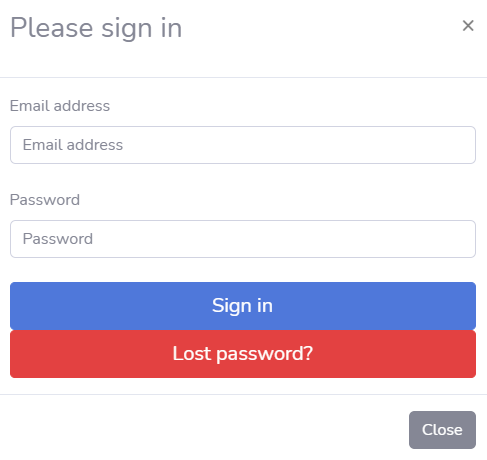
After clicking the button, a modal will pop up with boxes
where you can enter your login email and password. Once those have been entered,
next click the Sign In button, and, assuming those details are correct, you'll
be logged in!
Should you forget your password, simply click the Lost
Password? button underneath.
Lost Password Process: Step 1
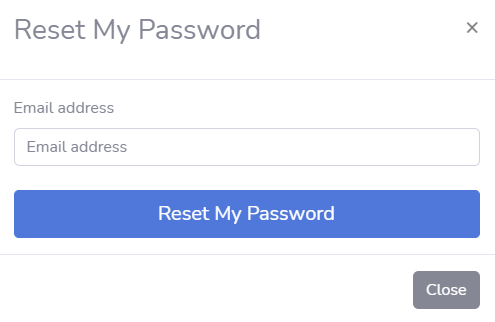
After clicking the lost password button, another modal will appear asking for you to enter in your email. Please enter the email associated with your account for this website. Once you've done that, just click the Reset my Password button to start the next step.
Lost Password Process: Step 2
After clicking the reset password button, you should have an email sent to you shortly, which will give you a link that will allow you to reset your password. Simply copy paste the link into your URL. DO NOT click the link, as it's possible a scammer could be trying to trick you and redirect you to a scam website.
Lost Password Process: Step 3
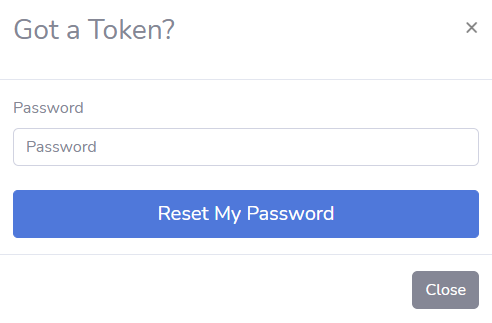
Once the website loads, you should see a modal stating that it has found your token, and we can continue the password reset process. Now, simply enter in the new password you want to use, and click the Reset My Password button to reset your password!